
Sign in to get started.
See and share your earned badges
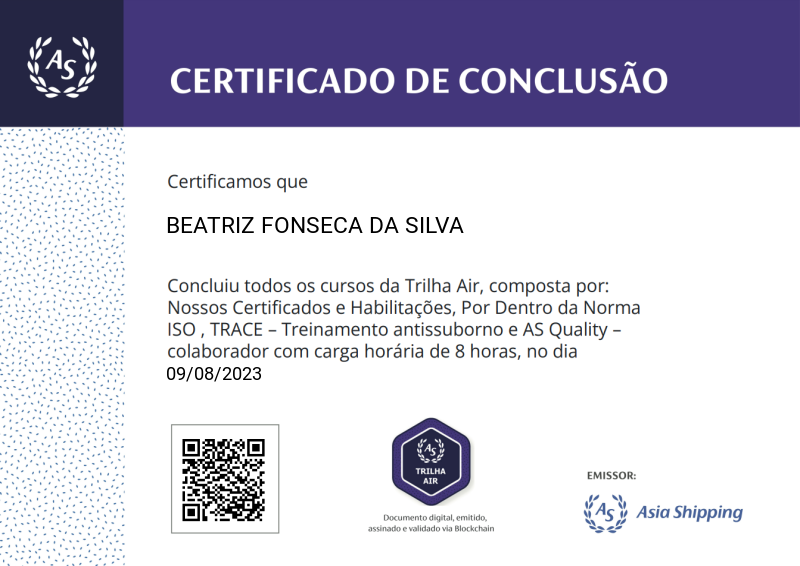
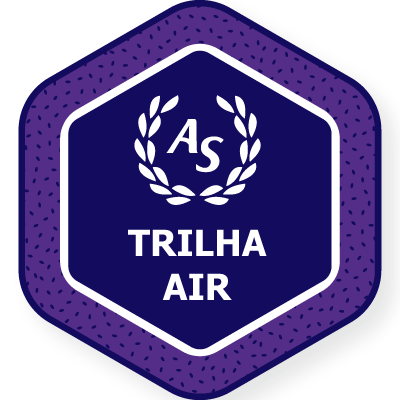
Trilha Air
- 1 Download the badge image (see below)
- 2 Now copy the badge link to make sure it links to your badge
- 3
- 4 Open Gmail and click on Settings -> See all settings
- 5 Scroll down to the Signature section
- 6 Click Insert Image > Upload image
- 7 Click on the badge image and resize it
- 8 Select the image and click on the link icon
- 9 Past the badge URL link in the Web address box
- 10 Click save to finish
- 1 Download the badge image (see below)
- 2 Now copy the badge link to make sure it links to your badge
-
3
- 4 Open Outlook and click on Home Tab -> New Email -> Signatures
- 5 Add a New Signature or edit an existing one
- 6 Select the Image icon in the toolbar
- 7 Insert the image downloaded into your signature
- 8 Select the image and click on the link icon
- 9 Past the badge URL link in the Web address box
- 10 Click save to finish

A trilha AIR, terceira bagde do programa de treinamentos da AS, abordará as principais certificações e habilitações referente ao negócio da companhia.
Além disso, será possível conhecer mais detalhes dos sistemas envolvidos nesta área,assim como o SGQ, ferramenta que auxilia no controle e padronização dos processos, importantíssimo para a melhoria contínua da estratégia da Alta Direção.
Dividimos o treinamento em 4 temáticas. São elas: Nossos Certificados e Habilitações, Por Dentro da Norma ISO ,TRACE - Treinamento Antissuborno e AS Quality Colaborador.
Para receber este badge é necessário que o colaborador conclua todas as etapas da Trilha AIR em tempo hábil e atinja nota mínima de 8.0 nos testes de conhecimento aplicados.
Caso o colaborador não finalize todos os treinamentos, não será possível receber a badge. Fique atento as datas de conclusão dos cursos!
| Blockchain Badge Image | |
| Registration: | 29/05/2024 06:50 |
| File: | Badge Image |
| File hash: | d2b521af21a53589047906085b0db19c392aa8b6f8c8c18d1d2df6809da9fc05 |
| Block hash: | 000000000000000000008dc96096c45a0b27d74f67a44b68345cb43af8118e4a |
| Transaction: | e0f7946f12f7c141c7ba8c1f45d880e2e0a7c7987b7e3197077b6d12f9d1c5d7 |
| Blockchain Certificate Image | |
| Registration: | 29/05/2024 06:50 |
| File: | Certificate Image |
| File hash: | b8431b8b6582c2e23974fae19298c8e52d87e10db6f462011abf01899ebeaa56 |
| Block hash: | 000000000000000000008dc96096c45a0b27d74f67a44b68345cb43af8118e4a |
| Transaction: | e0f7946f12f7c141c7ba8c1f45d880e2e0a7c7987b7e3197077b6d12f9d1c5d7 |
| Blockchain Certificate PDF | |
| Registration: | 29/05/2024 06:50 |
| File: | Certificate PDF |
| File hash: | 5b3593f5375de1e4264188b943a3ba49a83736c8c1d97cd9f2673efffcb7aa54 |
| Block hash: | 000000000000000000008dc96096c45a0b27d74f67a44b68345cb43af8118e4a |
| Transaction: | e0f7946f12f7c141c7ba8c1f45d880e2e0a7c7987b7e3197077b6d12f9d1c5d7 |