
Sign in to get started.
See and share your earned badges

From Data to Insights - SQL for Data Analysts on Power BI
- 1 Download the badge image (see below)
- 2 Now copy the badge link to make sure it links to your badge
- 3
- 4 Open Gmail and click on Settings -> See all settings
- 5 Scroll down to the Signature section
- 6 Click Insert Image > Upload image
- 7 Click on the badge image and resize it
- 8 Select the image and click on the link icon
- 9 Past the badge URL link in the Web address box
- 10 Click save to finish
- 1 Download the badge image (see below)
- 2 Now copy the badge link to make sure it links to your badge
-
3
- 4 Open Outlook and click on Home Tab -> New Email -> Signatures
- 5 Add a New Signature or edit an existing one
- 6 Select the Image icon in the toolbar
- 7 Insert the image downloaded into your signature
- 8 Select the image and click on the link icon
- 9 Past the badge URL link in the Web address box
- 10 Click save to finish

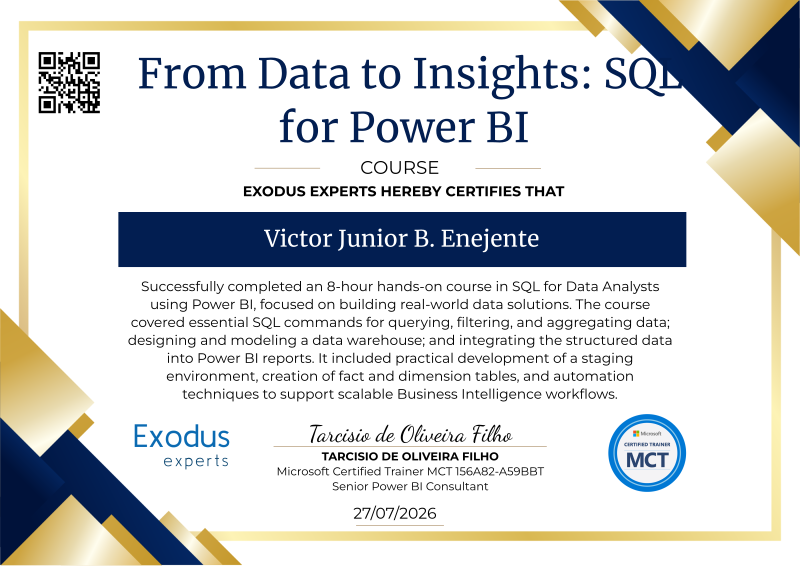
This is an 8-hour practical course in SQL for Data Analysts with Power BI, focused on the key concepts and techniques required to extract, prepare, and model data using SQL in a Business Intelligence context.
The course covered:
SQL environment setup and core commands for querying, filtering, sorting, aggregating, and grouping data
Development of a full Data Warehouse structure including staging area, dimensional modeling, and fact table creation
Integration of the SQL-based data warehouse into Power BI for analysis and visualization
Automation techniques to streamline the SQL and BI workflow
Upon completion, the student is equipped to apply SQL in real-world data analysis scenarios, enhancing their ability to design scalable data models and generate insights using Power BI.
Submiting a Power BI project file with the data and queries connecting to the Data Flows with the data from the Data Warehouse.
| Blockchain Badge Image | |
| Registration: | 27/07/2026 01:34 |
| File: | Badge Image |
| File hash: | 1c8bba213a39ab14aab3ee9331e6381513495414884ed8122a188b45fb475c20 |
| Block hash: | 00000000000000000000aaf1ae4cc03cceb4cd5e161d77c19f4a5cec14a60b5b |
| Transaction: | 2c331c139a2971533b7989d402d78befddac69da020319506d68c92d8bfd4784 |
| Blockchain Certificate Image | |
| Registration: | 27/07/2026 01:34 |
| File: | Certificate Image |
| File hash: | 23222f5344ae0ab1421795f8bf10311bbc832b2d71203fdc03772f6fbdf889b7 |
| Block hash: | 00000000000000000000aaf1ae4cc03cceb4cd5e161d77c19f4a5cec14a60b5b |
| Transaction: | 2c331c139a2971533b7989d402d78befddac69da020319506d68c92d8bfd4784 |
| Blockchain Certificate PDF | |
| Registration: | 27/07/2026 01:34 |
| File: | Certificate PDF |
| File hash: | bb5bc4f8745f0f541181ff783225d7f9788099242fbb7b48488a57bda7d8a3a9 |
| Block hash: | 00000000000000000000aaf1ae4cc03cceb4cd5e161d77c19f4a5cec14a60b5b |
| Transaction: | 2c331c139a2971533b7989d402d78befddac69da020319506d68c92d8bfd4784 |