
Sign in to get started.
See and share your earned badges

OUTPATIENT CARE
- 1 Download the badge image (see below)
- 2 Now copy the badge link to make sure it links to your badge
- 3
- 4 Open Gmail and click on Settings -> See all settings
- 5 Scroll down to the Signature section
- 6 Click Insert Image > Upload image
- 7 Click on the badge image and resize it
- 8 Select the image and click on the link icon
- 9 Past the badge URL link in the Web address box
- 10 Click save to finish
- 1 Download the badge image (see below)
- 2 Now copy the badge link to make sure it links to your badge
-
3
- 4 Open Outlook and click on Home Tab -> New Email -> Signatures
- 5 Add a New Signature or edit an existing one
- 6 Select the Image icon in the toolbar
- 7 Insert the image downloaded into your signature
- 8 Select the image and click on the link icon
- 9 Past the badge URL link in the Web address box
- 10 Click save to finish

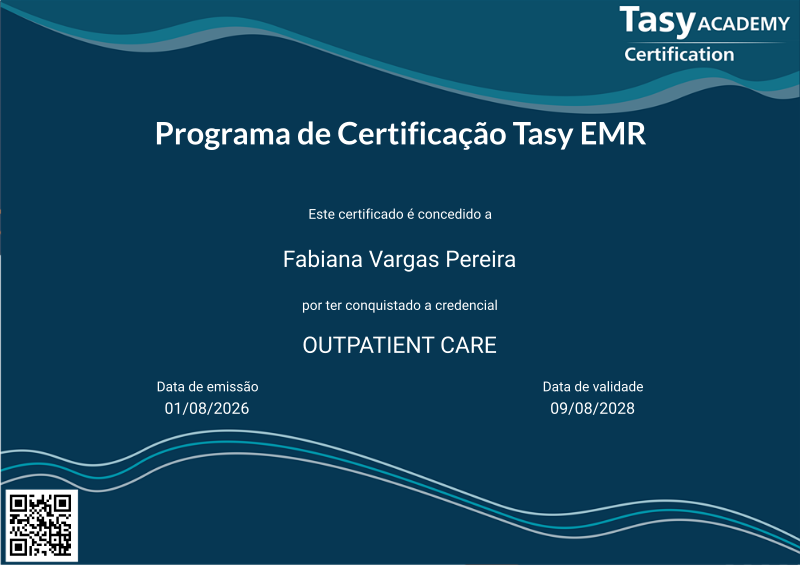
A credencial PROFESSIONAL OUTPATIENT CARE cobre o tema relacionado a Home Care, controle de imunização, exames de imagem, exames laboratoriais e não laboratoriais.
A prova é centrada nos cuidados ao paciente externo ou ambulatorial. Envolve conhecimento sobre a gestão de exames laboratoriais e não laboratoriais, entrega de laudos, gestão de amostras, check-ups e cuidados domiciliares.
O conteúdo da prova é baseado na trilha de Aprendizagem composta pelas seguintes funções:
· Check-up
· Gestão de Home Care
· Controle de Imunizações
· Exames Pendentes
· Lote de Exames Externos
· Consulta de Exames
· Lote de Exame
· Laudo de Anatomia Patológica
· Exames de Laboratório
· Gestão das Amostras
· Digitação de Resultado de Exames Laboratoriais Externos
· Consulta de Exames do Paciente
· Painel de Chamadas do Laboratório
· Acompanhamento de Laudos
· Gestão de Exames
· Digitação de Resultados de Exames Não Laboratoriais Externos
· Gestão de Entregas de Laudos
· Central de Laudos
Pré-requisito para realizar esta Credencial: Certificação FUNDAMENTALS válida.
A aprovação para aquisição desta Credencial Professional é atingir a nota final superior a 70% na prova.

| Blockchain Badge Image | |
| Registration: | 10/08/2026 12:24 |
| File: | Badge Image |
| File hash: | 7089768765daea19f43206a6b2ce3fd5f32de5065bbefbff1835b10fa8099bb3 |
| Block hash: | 00000000000000000000ae6284cda754580c431d992263d942a2eb19f04b4124 |
| Transaction: | fdfaa81cf7b38a7e2dedcd24d17249493bd27b1e0c6c5ca95f86b0c85bb0c99a |
| Blockchain Certificate Image | |
| Registration: | 10/08/2026 12:24 |
| File: | Certificate Image |
| File hash: | cbc1997080709993d04a6ba8a2525d0375e71cb41661c21c55edc78d243af47e |
| Block hash: | 00000000000000000000ae6284cda754580c431d992263d942a2eb19f04b4124 |
| Transaction: | fdfaa81cf7b38a7e2dedcd24d17249493bd27b1e0c6c5ca95f86b0c85bb0c99a |
| Blockchain Certificate PDF | |
| Registration: | 10/08/2026 12:24 |
| File: | Certificate PDF |
| File hash: | 1d1b147786965bb29bec6e7e09bac38668462ef6b33c34081ee268fcba8f7ec7 |
| Block hash: | 00000000000000000000ae6284cda754580c431d992263d942a2eb19f04b4124 |
| Transaction: | fdfaa81cf7b38a7e2dedcd24d17249493bd27b1e0c6c5ca95f86b0c85bb0c99a |