
Sign in to get started.
See and share your earned badges

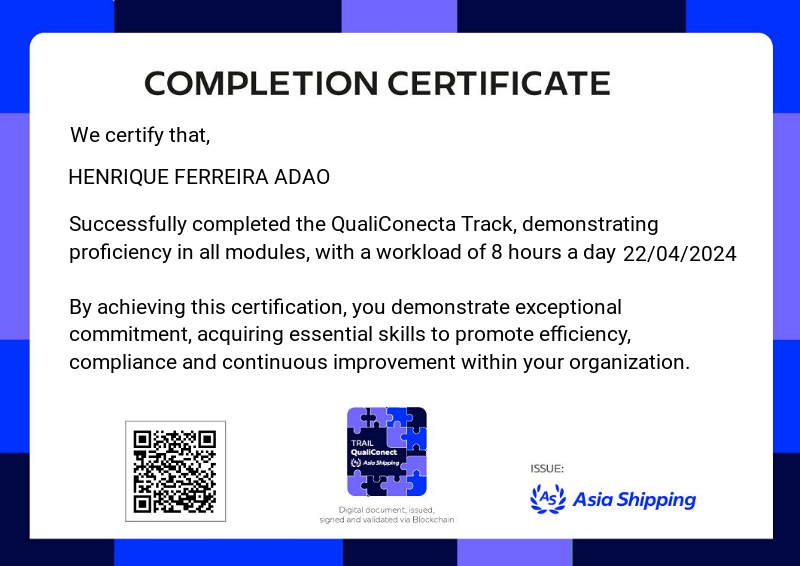
QualiConect Trail
- 1 Download the badge image (see below)
- 2 Now copy the badge link to make sure it links to your badge
- 3
- 4 Open Gmail and click on Settings -> See all settings
- 5 Scroll down to the Signature section
- 6 Click Insert Image > Upload image
- 7 Click on the badge image and resize it
- 8 Select the image and click on the link icon
- 9 Past the badge URL link in the Web address box
- 10 Click save to finish
- 1 Download the badge image (see below)
- 2 Now copy the badge link to make sure it links to your badge
-
3
- 4 Open Outlook and click on Home Tab -> New Email -> Signatures
- 5 Add a New Signature or edit an existing one
- 6 Select the Image icon in the toolbar
- 7 Insert the image downloaded into your signature
- 8 Select the image and click on the link icon
- 9 Past the badge URL link in the Web address box
- 10 Click save to finish

We've reached another badge in the AS Training program. We've covered a number of topics that are essential to our business.
The module has been divided into topics such as Our Certificates and Qualifications, in which you can explore the requirements and processes for ensuring that we are up-to-date and compliant with regulations.
Document Control, a presentation of techniques for managing documents from internal and external sources, guaranteeing the accuracy and accessibility of information.
Records Control for guidance on how to organize and maintain essential records, ensuring traceability and compliance with regulatory standards.
We cover quality management and how to efficiently implement it in our processes, as well as best practices for conducting internal and external audits, ensuring compliance and identifying opportunities for continuous improvement.
This badge represents your commitment to excellence in management and your ability to apply fundamental principles to drive organizational success. Congratulations on your achievement!
Translated with DeepL.com (free version)
To receive this badge, the employee must complete all the stages of the Trail in good time and achieve a minimum score of 8.0 in the knowledge tests applied.
If the employee does not complete all the training, they will not be able to receive the badge. Stay tuned for course completion dates!
| Blockchain Badge Image | |
| Registration: | 27/06/2024 21:36 |
| File: | Badge Image |
| File hash: | 4839eb93f452873650e4774b488ec7569495c836108ac0b31985837f73a335a3 |
| Block hash: | 00000000000000000002d2b656594e3c2f607d18eb28a54a54794e5075ea0330 |
| Transaction: | a49aabf5c49b778e0d334261398620d64daf56623ca7faea94ff2068a2d59d97 |
| Blockchain Certificate Image | |
| Registration: | 27/06/2024 21:36 |
| File: | Certificate Image |
| File hash: | edf99dd778336de1d7d9a163e44da92646f772cb16b21b6bc19bf119781d81fa |
| Block hash: | 00000000000000000002d2b656594e3c2f607d18eb28a54a54794e5075ea0330 |
| Transaction: | a49aabf5c49b778e0d334261398620d64daf56623ca7faea94ff2068a2d59d97 |
| Blockchain Certificate PDF | |
| Registration: | 27/06/2024 21:36 |
| File: | Certificate PDF |
| File hash: | d4cb6b8232afb496a3e68da897b4fab67622c097d39ae62d27ae0d7b64d657bc |
| Block hash: | 00000000000000000002d2b656594e3c2f607d18eb28a54a54794e5075ea0330 |
| Transaction: | a49aabf5c49b778e0d334261398620d64daf56623ca7faea94ff2068a2d59d97 |