
Sign in to get started.
See and share your earned badges
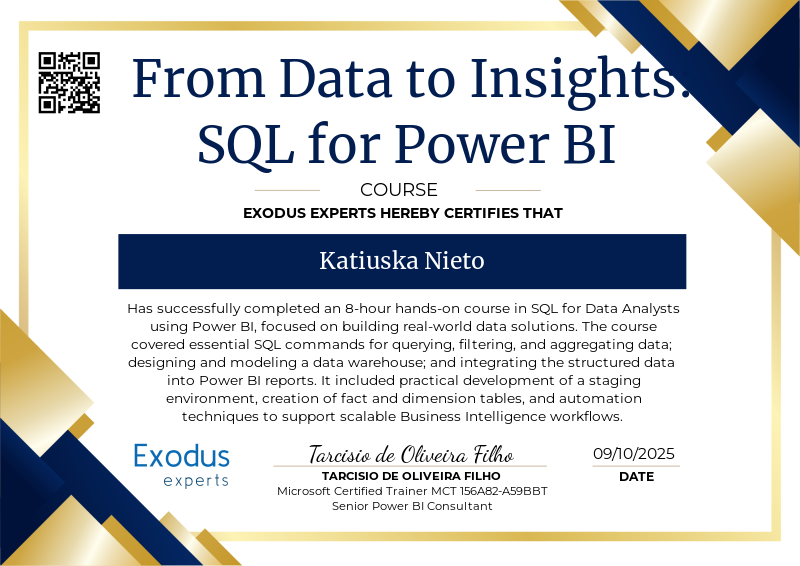
From Data to Insights - SQL for Data Analysts on Power BI
- 1 Download the badge image (see below)
- 2 Now copy the badge link to make sure it links to your badge
- 3
- 4 Open Gmail and click on Settings -> See all settings
- 5 Scroll down to the Signature section
- 6 Click Insert Image > Upload image
- 7 Click on the badge image and resize it
- 8 Select the image and click on the link icon
- 9 Past the badge URL link in the Web address box
- 10 Click save to finish
- 1 Download the badge image (see below)
- 2 Now copy the badge link to make sure it links to your badge
-
3
- 4 Open Outlook and click on Home Tab -> New Email -> Signatures
- 5 Add a New Signature or edit an existing one
- 6 Select the Image icon in the toolbar
- 7 Insert the image downloaded into your signature
- 8 Select the image and click on the link icon
- 9 Past the badge URL link in the Web address box
- 10 Click save to finish

This is an 8-hour practical course in SQL for Data Analysts with Power BI, focused on the key concepts and techniques required to extract, prepare, and model data using SQL in a Business Intelligence context.
The course covered:
SQL environment setup and core commands for querying, filtering, sorting, aggregating, and grouping data
Development of a full Data Warehouse structure including staging area, dimensional modeling, and fact table creation
Integration of the SQL-based data warehouse into Power BI for analysis and visualization
Automation techniques to streamline the SQL and BI workflow
Upon completion, the student is equipped to apply SQL in real-world data analysis scenarios, enhancing their ability to design scalable data models and generate insights using Power BI.
Submiting a Power BI project file with the data and queries connecting to the Data Flows with the data from the Data Warehouse.
| Blockchain Badge Image | |
| Registration: | 09/10/2025 17:13 |
| File: | Badge Image |
| File hash: | bb4898b799e25ef6716941b1554c732349958a04af2df39880a149a38e427e68 |
| Block hash: | 0000000000000000000013142860fca1fbca4b51cc83d39d8d7b2e7621c6cc34 |
| Transaction: | c471d538883cb69107f1de75fd416e5b71fefd638c2d08c482868088de775bac |
| Blockchain Certificate Image | |
| Registration: | 09/10/2025 17:13 |
| File: | Certificate Image |
| File hash: | a5d51b04c1470dec97b0ee1bdab56c216906f9c75bc33280b9b2ea490ae6da80 |
| Block hash: | 0000000000000000000013142860fca1fbca4b51cc83d39d8d7b2e7621c6cc34 |
| Transaction: | c471d538883cb69107f1de75fd416e5b71fefd638c2d08c482868088de775bac |
| Blockchain Certificate PDF | |
| Registration: | 09/10/2025 17:13 |
| File: | Certificate PDF |
| File hash: | 9875109d31c32195897cad9710597b8f635b0f44b53af19d1c535b81c04b05dc |
| Block hash: | 0000000000000000000013142860fca1fbca4b51cc83d39d8d7b2e7621c6cc34 |
| Transaction: | c471d538883cb69107f1de75fd416e5b71fefd638c2d08c482868088de775bac |