
Sign in to get started.
See and share your earned badges
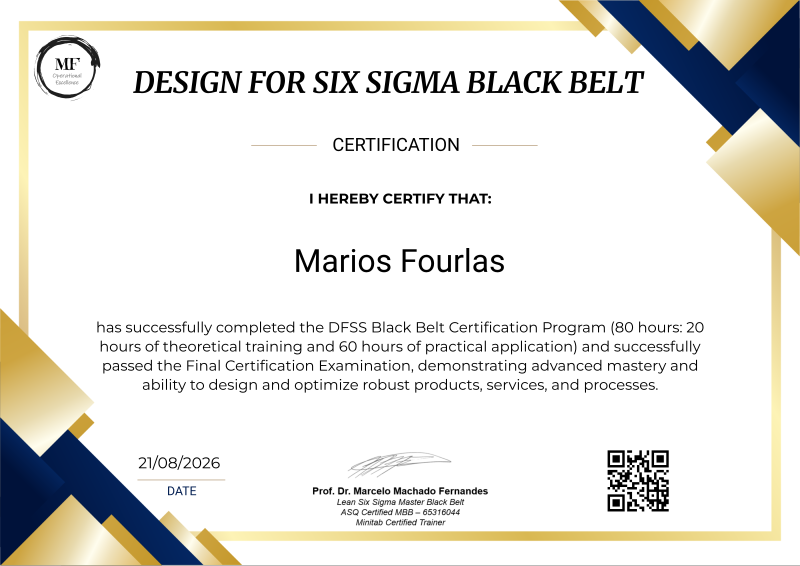
DFSS BLACK BELT CERTIFICATION
- 1 Download the badge image (see below)
- 2 Now copy the badge link to make sure it links to your badge
- 3
- 4 Open Gmail and click on Settings -> See all settings
- 5 Scroll down to the Signature section
- 6 Click Insert Image > Upload image
- 7 Click on the badge image and resize it
- 8 Select the image and click on the link icon
- 9 Past the badge URL link in the Web address box
- 10 Click save to finish
- 1 Download the badge image (see below)
- 2 Now copy the badge link to make sure it links to your badge
-
3
- 4 Open Outlook and click on Home Tab -> New Email -> Signatures
- 5 Add a New Signature or edit an existing one
- 6 Select the Image icon in the toolbar
- 7 Insert the image downloaded into your signature
- 8 Select the image and click on the link icon
- 9 Past the badge URL link in the Web address box
- 10 Click save to finish

The Design for Six Sigma (DFSS) Black Belt is an advanced certification focused on designing and developing new products, services, and processes that achieve exceptional performance from the start. This certification equips professionals with a structured, data-driven approach to translate customer needs into measurable requirements, develop innovative solutions, optimize critical design parameters, and minimize risks before implementation. By combining the DMADV methodology, Voice of the Customer, Quality Function Deployment, statistical analysis, Design of Experiments, optimization, risk management, and robust design, DFSS Black Belts can lead complex innovation and design projects that deliver superior quality, efficiency, profitability, and customer satisfaction. Rather than simply improving what already exists, DFSS enables professionals to design excellence into products and processes from the very beginning.
To be a certified BB, GB, YB, WB, AI and approval in the DFSS BB Test
Duration: 3 hours
Number of questions: 90
The minimum acceptable score to pass is 70%
| Blockchain Badge Image | |
| Registration: | 21/08/2026 12:09 |
| File: | Badge Image |
| File hash: | 8db334ebd26a8086fdff3d0d7b0eef5ea8394e532fb2a2588ea299aeba441f7a |
| Block hash: | 000000000000000000022ecf100eced00479b433dfd9d5e7aa4516f1d1a8a5b2 |
| Transaction: | ab12eba3ca77ffb798b24d289324002114a1810bb9f7577ba24fbb3f6b262f6d |
| Blockchain Certificate Image | |
| Registration: | 21/08/2026 12:09 |
| File: | Certificate Image |
| File hash: | 410d0bb6e3f9959bd3c99d4a135473f9d556b1ca1ebc962509da8b50ac09b0c0 |
| Block hash: | 000000000000000000022ecf100eced00479b433dfd9d5e7aa4516f1d1a8a5b2 |
| Transaction: | ab12eba3ca77ffb798b24d289324002114a1810bb9f7577ba24fbb3f6b262f6d |
| Blockchain Certificate PDF | |
| Registration: | 21/08/2026 12:09 |
| File: | Certificate PDF |
| File hash: | 7960b218f6c92658d4a74cff891e4524c722209df2bc66a8b0ad7490af752310 |
| Block hash: | 000000000000000000022ecf100eced00479b433dfd9d5e7aa4516f1d1a8a5b2 |
| Transaction: | ab12eba3ca77ffb798b24d289324002114a1810bb9f7577ba24fbb3f6b262f6d |