
Sign in to get started.
See and share your earned badges
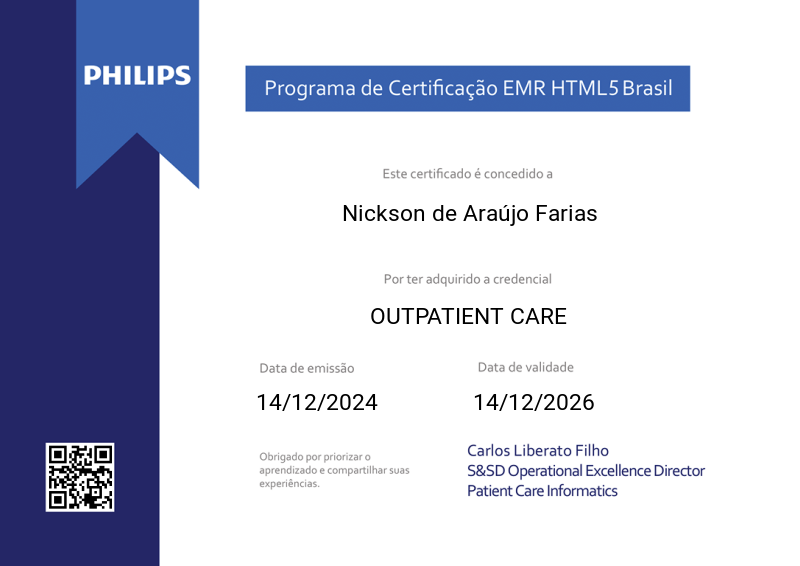
OUTPATIENT CARE
- 1 Download the badge image (see below)
- 2 Now copy the badge link to make sure it links to your badge
- 3
- 4 Open Gmail and click on Settings -> See all settings
- 5 Scroll down to the Signature section
- 6 Click Insert Image > Upload image
- 7 Click on the badge image and resize it
- 8 Select the image and click on the link icon
- 9 Past the badge URL link in the Web address box
- 10 Click save to finish
- 1 Download the badge image (see below)
- 2 Now copy the badge link to make sure it links to your badge
-
3
- 4 Open Outlook and click on Home Tab -> New Email -> Signatures
- 5 Add a New Signature or edit an existing one
- 6 Select the Image icon in the toolbar
- 7 Insert the image downloaded into your signature
- 8 Select the image and click on the link icon
- 9 Past the badge URL link in the Web address box
- 10 Click save to finish

A credencial PROFESSIONAL OUTPATIENT CARE cobre o tema relacionado a Home Care, controle de imunização, exames de imagem, exames laboratoriais e não laboratoriais.
A prova é centrada nos cuidados ao paciente externo ou ambulatorial. Envolve conhecimento sobre a gestão de exames laboratoriais e não laboratoriais, entrega de laudos, gestão de amostras, check-ups e cuidados domiciliares.
O conteúdo da prova é baseado na trilha de Aprendizagem composta pelas seguintes funções:
· Check-up
· Gestão de Home Care
· Controle de Imunizações
· Exames Pendentes
· Lote de Exames Externos
· Consulta de Exames
· Lote de Exame
· Laudo de Anatomia Patológica
· Exames de Laboratório
· Gestão das Amostras
· Digitação de Resultado de Exames Laboratoriais Externos
· Consulta de Exames do Paciente
· Painel de Chamadas do Laboratório
· Acompanhamento de Laudos
· Gestão de Exames
· Digitação de Resultados de Exames Não Laboratoriais Externos
· Gestão de Entregas de Laudos
· Central de Laudos
Pré-requisito para realizar esta Credencial: Certificação FUNDAMENTALS válida.
A aprovação para aquisição desta Credencial Professional é atingir a nota final superior a 70% na prova.
| Blockchain Badge Image | |
| Registration: | 27/01/2025 15:51 |
| File: | Badge Image |
| File hash: | 7d1bc277f10db01a1afe3b9cd5884d3582dd1cb91370d39c7d4de61f9504ddf1 |
| Block hash: | 0000000000000000000162af92c6cc16fb043db0334fc79f6fac026ec4735523 |
| Transaction: | 2e021a40ca95821d22cca325741961adb53367a50d826db425794f8582d88c4a |
| Blockchain Certificate Image | |
| Registration: | 27/01/2025 15:51 |
| File: | Certificate Image |
| File hash: | 71521b633865d213cbd410aedb2e9bc6cadba19f2c5da58c6f9987768b534d99 |
| Block hash: | 0000000000000000000162af92c6cc16fb043db0334fc79f6fac026ec4735523 |
| Transaction: | 2e021a40ca95821d22cca325741961adb53367a50d826db425794f8582d88c4a |
| Blockchain Certificate PDF | |
| Registration: | 27/01/2025 15:51 |
| File: | Certificate PDF |
| File hash: | 20778069ee90f5d62fe11d78d87c157329e4c8e90f77543a21031d8802b29e2c |
| Block hash: | 0000000000000000000162af92c6cc16fb043db0334fc79f6fac026ec4735523 |
| Transaction: | 2e021a40ca95821d22cca325741961adb53367a50d826db425794f8582d88c4a |
