
Sign in to get started.
See and share your earned badges
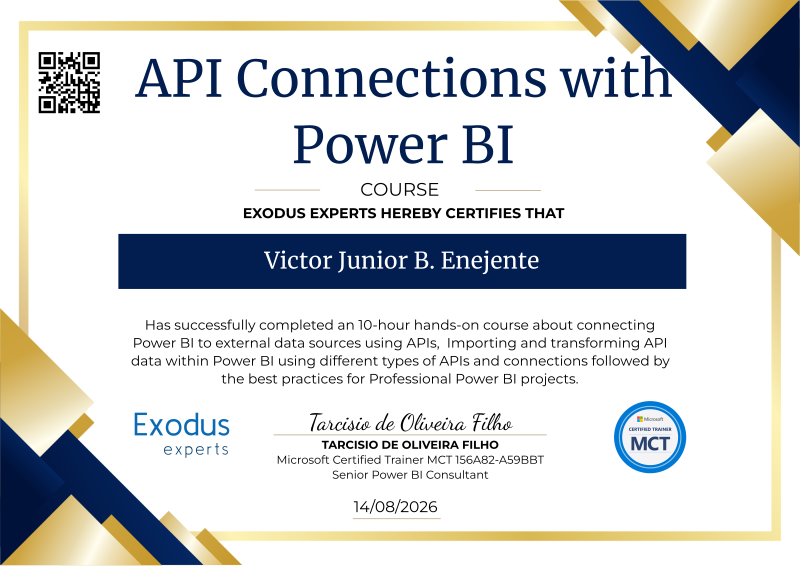
API Connections with Power BI
- 1 Download the badge image (see below)
- 2 Now copy the badge link to make sure it links to your badge
- 3
- 4 Open Gmail and click on Settings -> See all settings
- 5 Scroll down to the Signature section
- 6 Click Insert Image > Upload image
- 7 Click on the badge image and resize it
- 8 Select the image and click on the link icon
- 9 Past the badge URL link in the Web address box
- 10 Click save to finish
- 1 Download the badge image (see below)
- 2 Now copy the badge link to make sure it links to your badge
-
3
- 4 Open Outlook and click on Home Tab -> New Email -> Signatures
- 5 Add a New Signature or edit an existing one
- 6 Select the Image icon in the toolbar
- 7 Insert the image downloaded into your signature
- 8 Select the image and click on the link icon
- 9 Past the badge URL link in the Web address box
- 10 Click save to finish

This course is a comprehensive, hands-on guide designed to empower students with the skills to connect Power BI to real-world APIs and external data sources. From foundational concepts to advanced API handling, students learn how to automate data retrieval and build dynamic, up-to-date dashboards using APIs, M language, and Power Query.
Throughout the course, students explore:
What APIs are and how they function in data communication.
The structure of API endpoints, query parameters, headers, and authentication methods (including token-based and OAuth2).
Different types of APIs available (weather, stock, financial, and more).
Practical implementation of API connections directly in Power BI, including:
Handling pagination
Incremental data loading
Building custom dataflows
Advanced M language techniques for dynamic queries and data transformation.
How to use web scraping techniques when APIs are not available.
Security best practices when connecting to external services.
✅ After Completing This Course, Students Will Be Able To:
- Understand and use APIs confidently in Power BI projects, enabling access to dynamic, real-time data.
- Set up and authenticate connections with public and private APIs (including OAuth2 flows).
- Use Power Query (M language) to handle API parameters, pagination, filtering, and transformations.
- Automate data refreshes via Power BI Service using APIs and dataflows.
- Work with advanced techniques like incremental load, custom functions, and token refresh logic.
- Extract data from websites using web scraping when APIs are not available.
- Build professional-grade dashboards that integrate external and structured data seamlessly.
Submiting the Power BI project files with the data and queries connecting to the APIs used in all classes.
| Blockchain Badge Image | |
| Registration: | 14/08/2026 01:21 |
| File: | Badge Image |
| File hash: | 7d84c72c8c51dc947a41bcf9f884b20e8844306468f1b7d7433b902d40503c06 |
| Block hash: | 00000000000000000001bdbf89b1a83e51b673a17dec149bc7285734217f860b |
| Transaction: | c60ad634d6f57f41db81316b995138ac9c57533e3ffb389690622c59ee00e1b8 |
| Blockchain Certificate Image | |
| Registration: | 14/08/2026 01:21 |
| File: | Certificate Image |
| File hash: | a34036c9e163f5a7234e81d61efd38ed1ef0d71839c11bd962c1d12122fa84fd |
| Block hash: | 00000000000000000001bdbf89b1a83e51b673a17dec149bc7285734217f860b |
| Transaction: | c60ad634d6f57f41db81316b995138ac9c57533e3ffb389690622c59ee00e1b8 |
| Blockchain Certificate PDF | |
| Registration: | 14/08/2026 01:21 |
| File: | Certificate PDF |
| File hash: | 1e3965e60ade3d20b364bcca7e3d9553662748828e5eacee300eacbfd9061676 |
| Block hash: | 00000000000000000001bdbf89b1a83e51b673a17dec149bc7285734217f860b |
| Transaction: | c60ad634d6f57f41db81316b995138ac9c57533e3ffb389690622c59ee00e1b8 |