
Sign in to get started.
See and share your earned badges

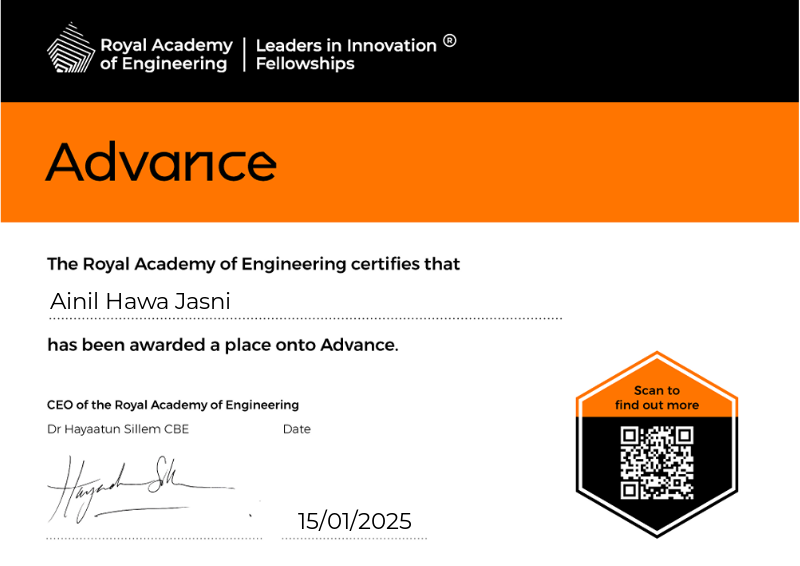
Advance
- 1 Download the badge image (see below)
- 2 Now copy the badge link to make sure it links to your badge
- 3
- 4 Open Gmail and click on Settings -> See all settings
- 5 Scroll down to the Signature section
- 6 Click Insert Image > Upload image
- 7 Click on the badge image and resize it
- 8 Select the image and click on the link icon
- 9 Past the badge URL link in the Web address box
- 10 Click save to finish
- 1 Download the badge image (see below)
- 2 Now copy the badge link to make sure it links to your badge
-
3
- 4 Open Outlook and click on Home Tab -> New Email -> Signatures
- 5 Add a New Signature or edit an existing one
- 6 Select the Image icon in the toolbar
- 7 Insert the image downloaded into your signature
- 8 Select the image and click on the link icon
- 9 Past the badge URL link in the Web address box
- 10 Click save to finish
Advance is a bespoke programme of relationship-building and business growth modules for innovators with a customer-validated product who are ready to scale and grow internationally. The theme for Advance 2025 is 'Future Planet: Biodiversity, Food Security, New Materials, and Energy'.
Innovators undertake six months of intensive training, mentoring and networking between January and June, both online and in-person. Innovators engage in 1:1 mentoring sessions with experts, covering such topics as building high-impact teams, solving challenges, raising investment, and protecting IP. In July, innovators participate in a UK residential providing in-person training, networking with key UK stakeholders, and the opportunity to pitch to an audience of investors and media professionals. The core modules that this covers includes:
- Business model deep-dive
- Deep stakeholder mapping and strategic partnerships
- Story-telling, and leadership skills enhancement
| Blockchain Badge Image | |
| Registration: | 18/06/2025 10:22 |
| File: | Badge Image |
| File hash: | bceb00f9ecac5c60b4a3bc9489bfd8cb1ed8824a46e08be61ab06b747b3dd9f3 |
| Block hash: | 0000000000000000000181eaa433cfd5711b87d503f784503c73ac7691d6ef71 |
| Transaction: | 9fdbc935bbf9f1a25272a4e4aac8e2608c2d68080316bed30ddfeebd96d52063 |
| Blockchain Certificate Image | |
| Registration: | 18/06/2025 10:22 |
| File: | Certificate Image |
| File hash: | 870183781ff5e2463314f8509537ea0696dcdaf3fe85b6d62d36a4e52cd831e7 |
| Block hash: | 0000000000000000000181eaa433cfd5711b87d503f784503c73ac7691d6ef71 |
| Transaction: | 9fdbc935bbf9f1a25272a4e4aac8e2608c2d68080316bed30ddfeebd96d52063 |
| Blockchain Certificate PDF | |
| Registration: | 18/06/2025 10:22 |
| File: | Certificate PDF |
| File hash: | cebfd3d045a9a4ade7a60922afc6fa0548b6c7bf08cb6ac44b584e9d78d91a40 |
| Block hash: | 0000000000000000000181eaa433cfd5711b87d503f784503c73ac7691d6ef71 |
| Transaction: | 9fdbc935bbf9f1a25272a4e4aac8e2608c2d68080316bed30ddfeebd96d52063 |